Overview
Every Delivery,
One Stop at a Time.
Dispatch is the driver’s side of a delivery operation. It puts the day’s load, the next stop, the money to collect, and the driver’s own earnings on a phone that is easy to use between stops.
The Problem
A courier juggles several orders at once — different pickups, different customers, some paid in cash and some already paid. Without one clear view, it is easy to lose track of what is next, what to collect, and what the day has actually earned.
Our Solution
A home screen that leads with the trip and the next stop, a deliveries list sorted by status, a handover confirmation that spells out what to collect, and an earnings view that shows exactly how each delivery fee is split.
On the Road
Load Up. Start the Trip. Hand Over.
The working day — from the first pickup to the last confirmed handover.
The Day at a Glance
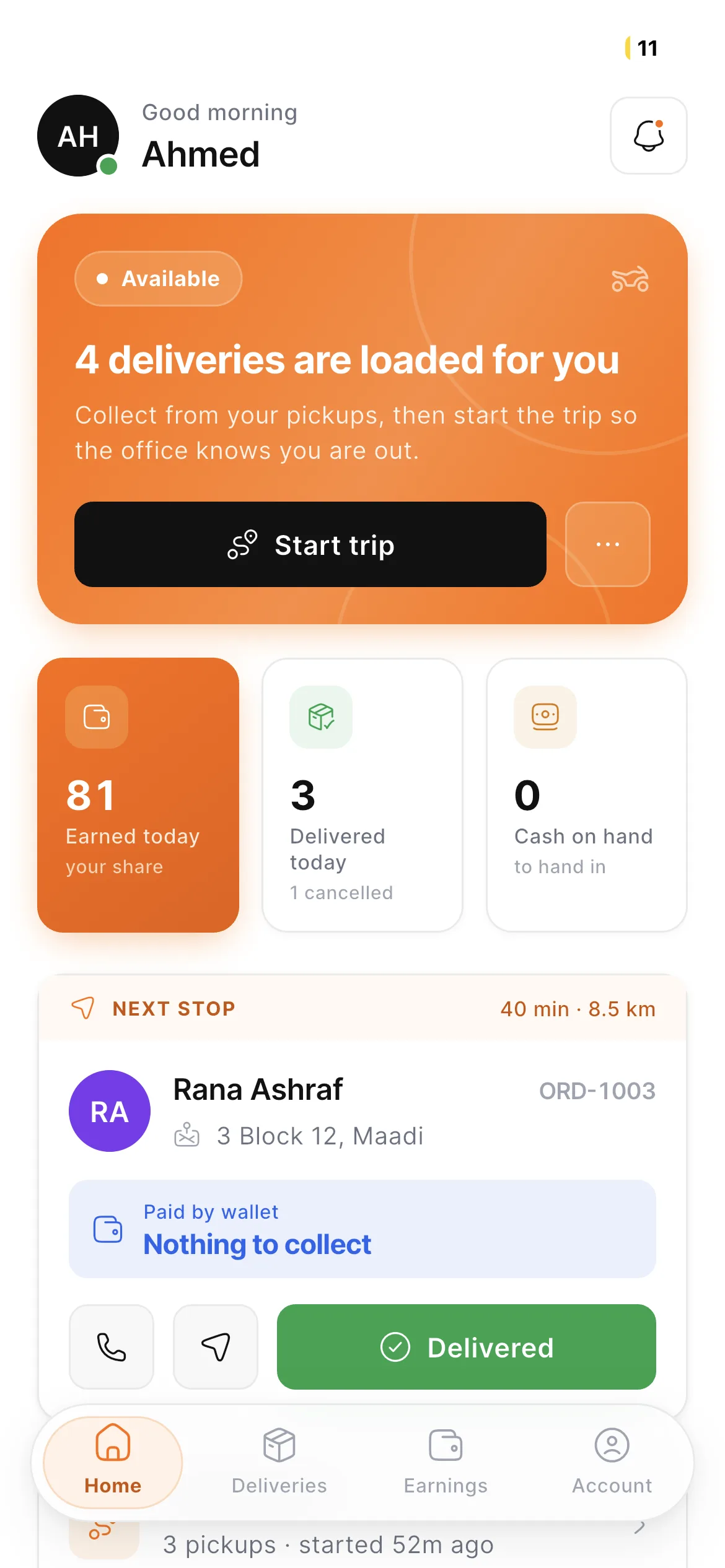
Availability, the number of deliveries loaded, a one-tap Start trip, and today’s earnings, deliveries, and cash on hand sit on the first screen, with the next stop right below.
Home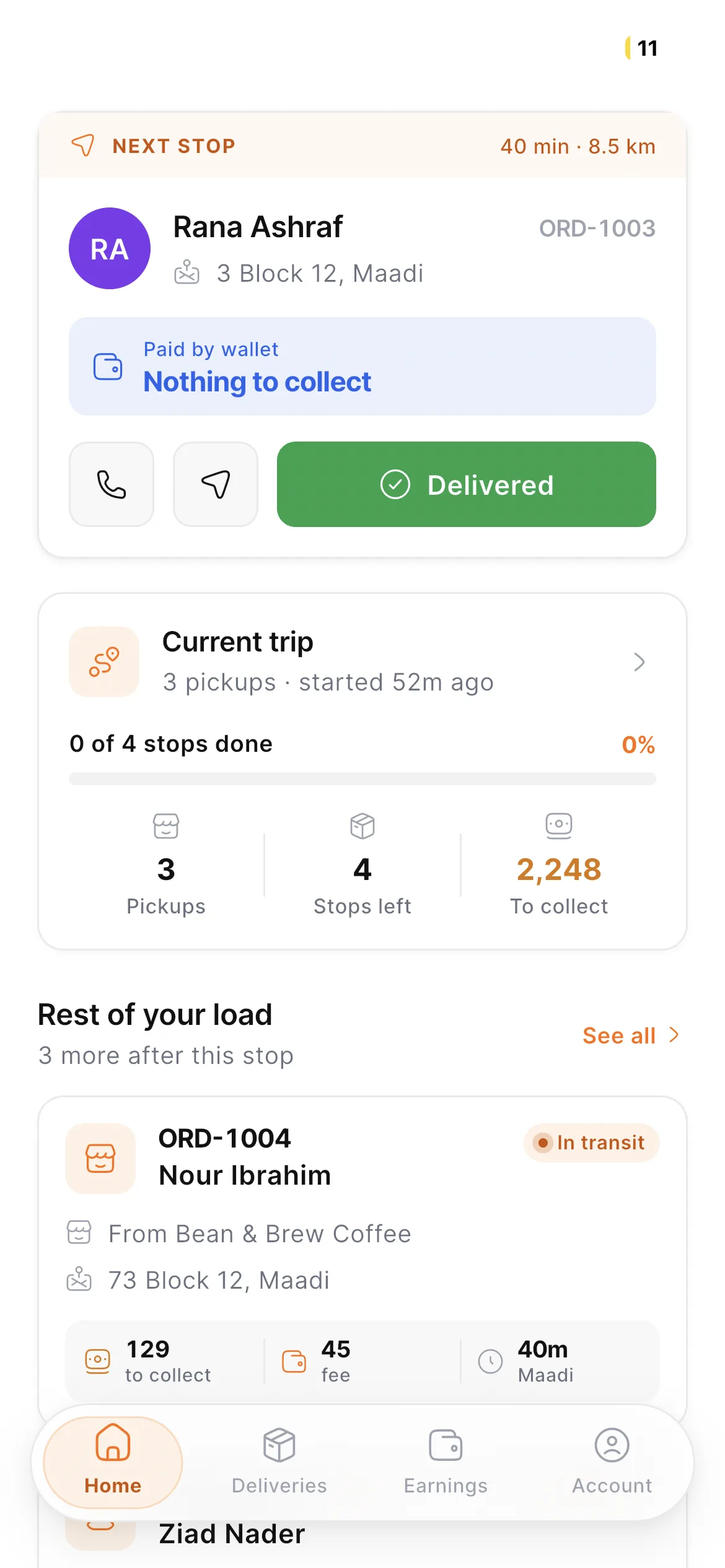
Trip Progress, Plainly
The current trip shows pickups, stops left, and the amount to collect with a progress bar, followed by the rest of the load with its pickup, drop-off, fee, and ETA.
Current Trip & LoadEvery Order, Sorted
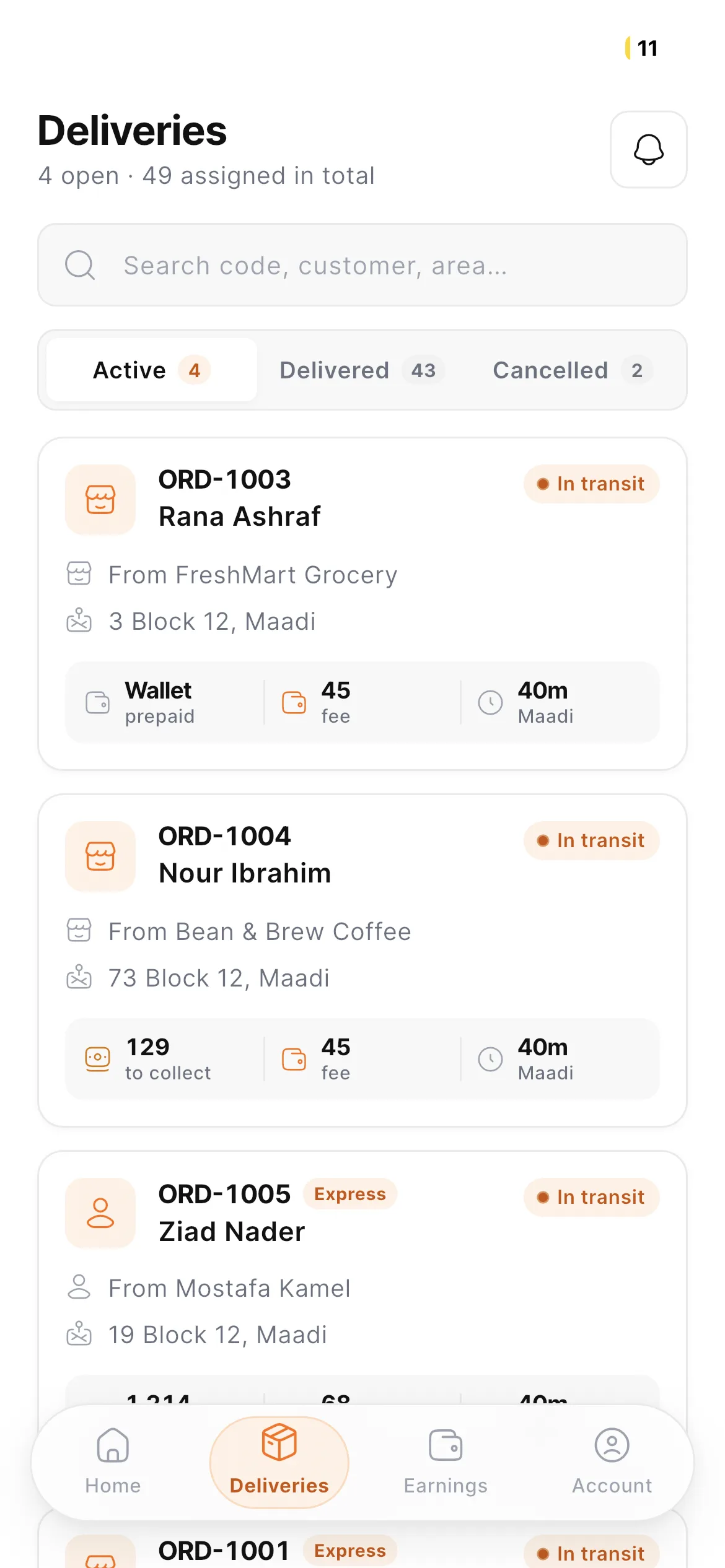
Active, delivered, and cancelled orders in tabs with a search by code, customer, or area — each card showing the shop, the address, how it is paid, the fee, and the time.
Deliveries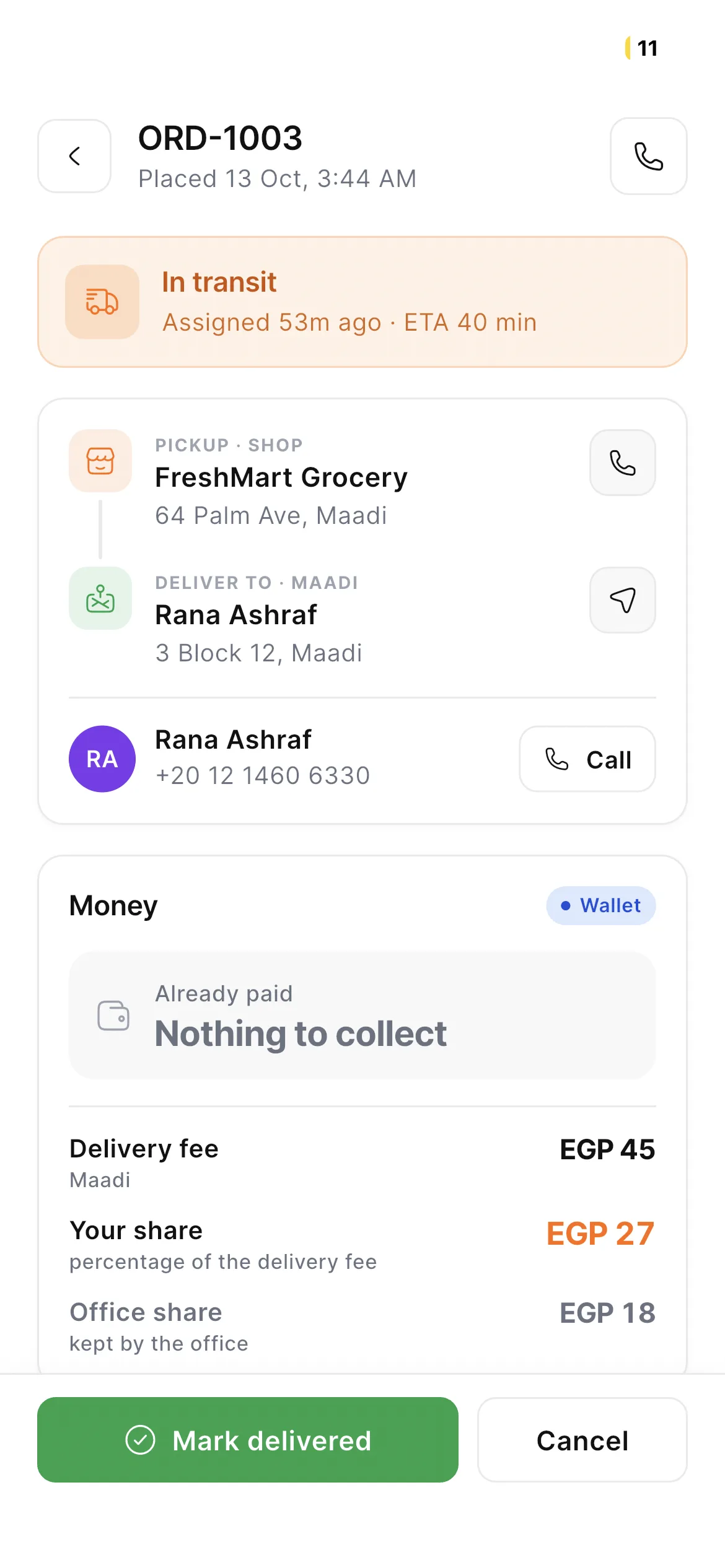
Everything for One Order
Pickup and drop-off with call and navigate shortcuts, the customer’s contact, and a money breakdown that shows what to collect and what the driver keeps.
Order Details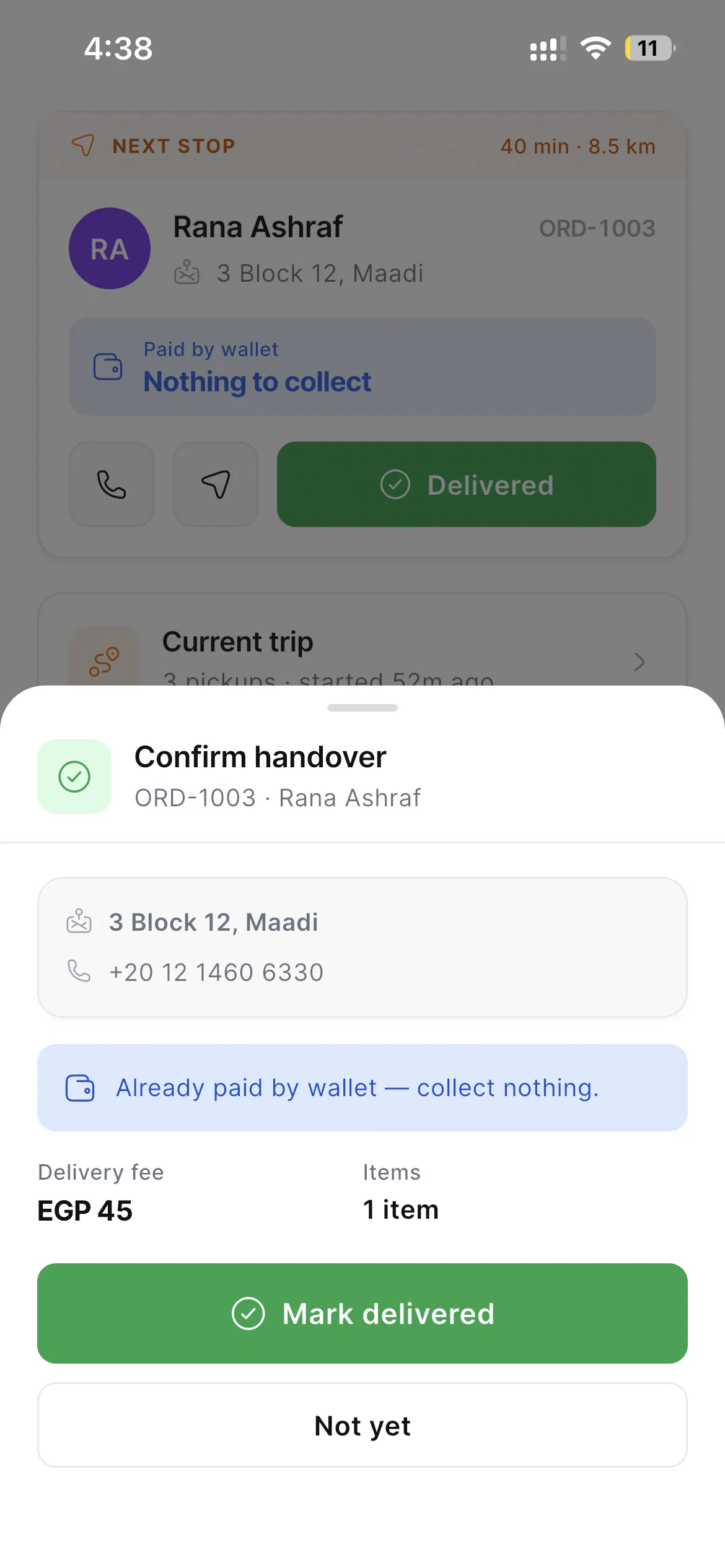
Confirm the Handover
A bottom sheet repeats the address, the delivery fee, and whether anything must be collected before the order can be marked delivered.
Confirm HandoverEarnings & Account
Know What You Earn.
The split is shown, not hidden — and so is the driver’s own record.
Earnings by Period
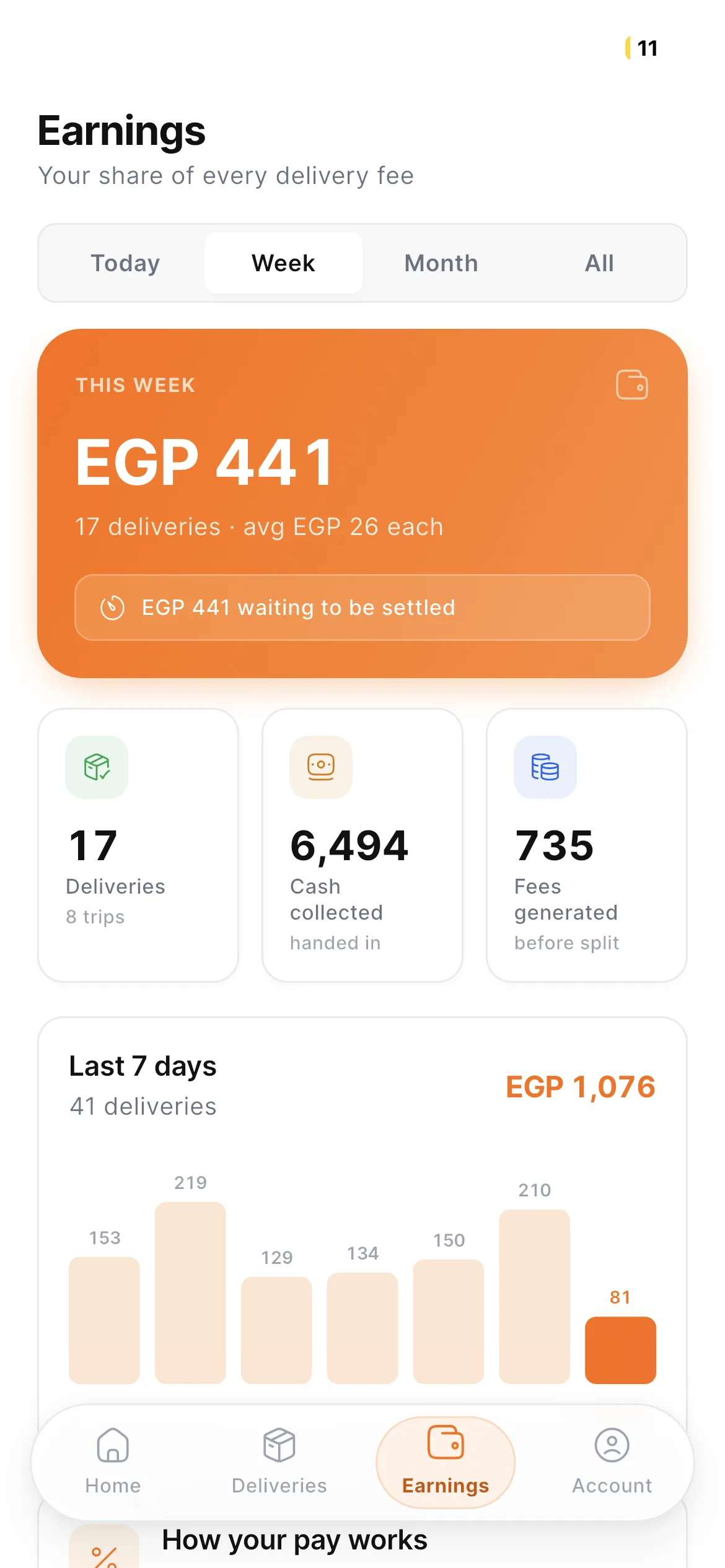
Today, week, month, or all time — the total, deliveries, cash collected, and fees generated, with a seven-day chart of how each day went.
Earnings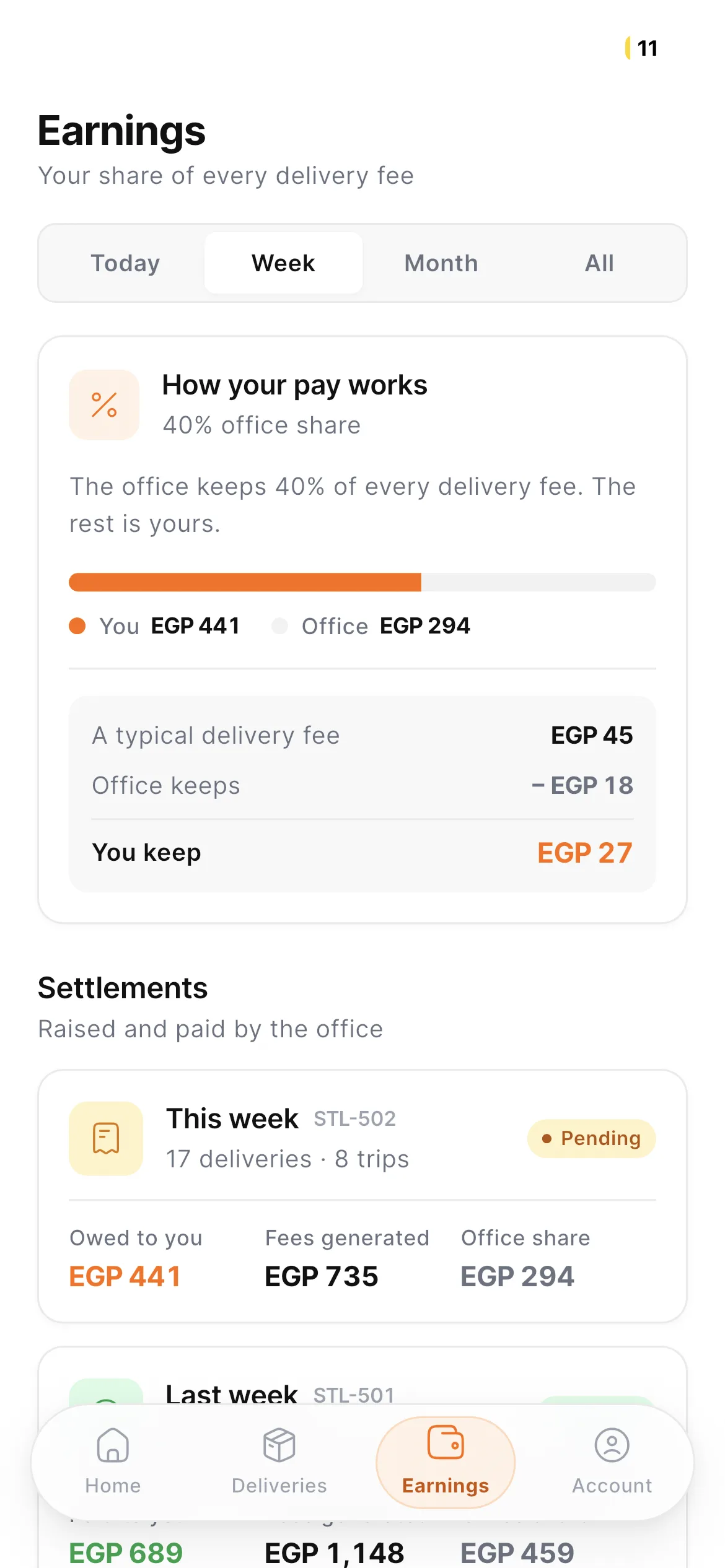
A Split Anyone Can Read
The office’s share of every delivery fee is explained with a bar and a typical example, followed by weekly settlements marked as pending or paid.
How Pay Works & Settlements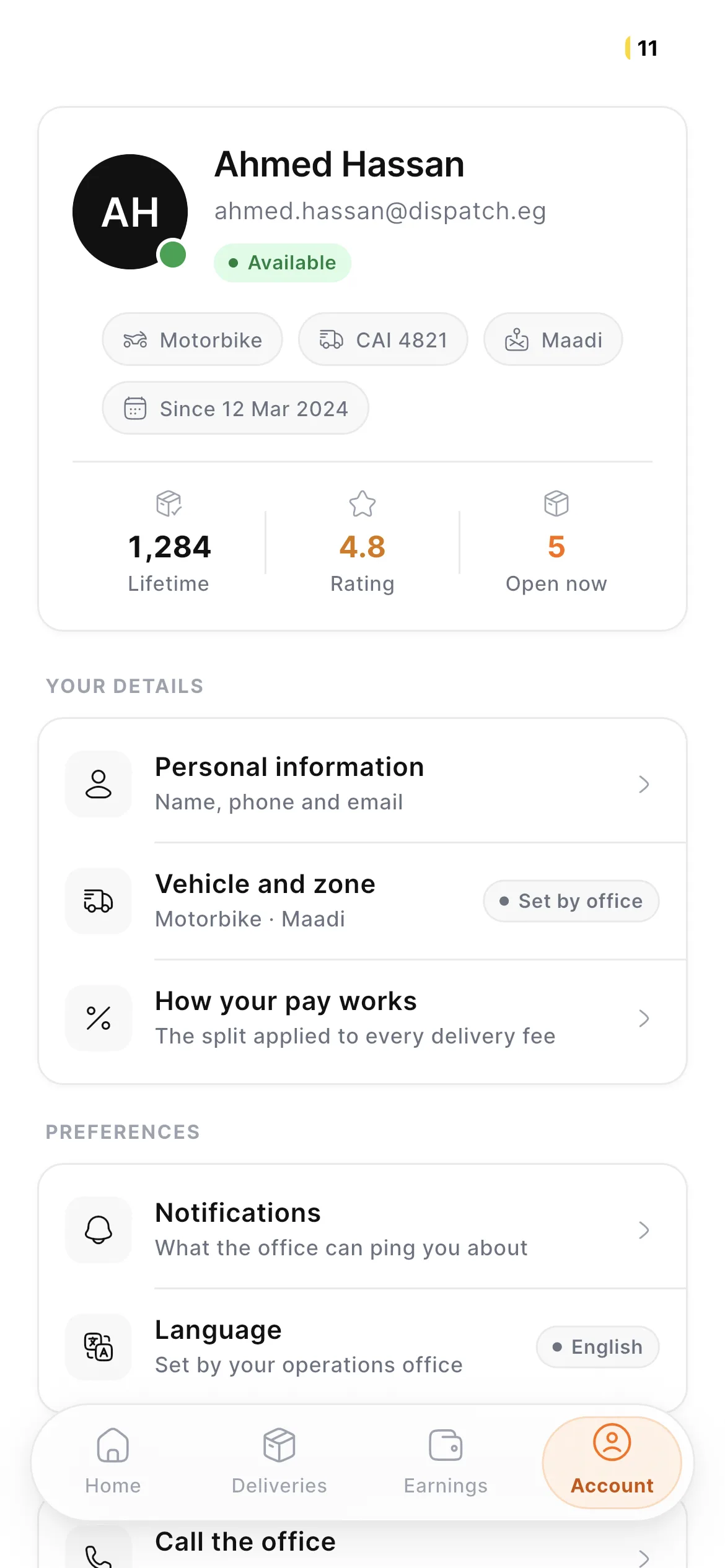
The Driver’s Profile
Lifetime deliveries, rating, and open orders, with the vehicle, plate, and zone, plus personal details, notification, and language preferences.
Account